
Everything easy
Invoices, expenses, taxes, automations and AI in one platform.
Professional invoicing, VeriFactu and AI
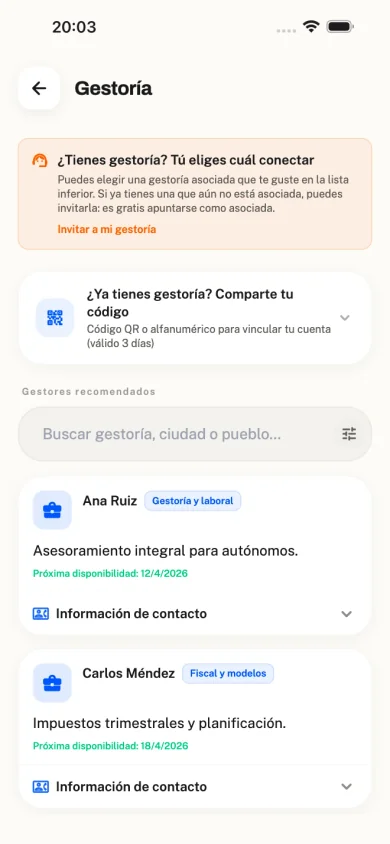
Get paid fast and stay e-invoicing compliant
Create invoices from the AI chat with voice notes. Send quotes, proformas and delivery notes with automatic numbering, VAT and income tax, and branded templates. Ready for VeriFactu, with AEAT submission, Facturae 3.2 via FACe and electronic signature.
- Automatic numbering by series (FAC-2026-001), with configurable VAT and income tax
- Quotes with online approval, proformas and delivery notes (with signature); full chain to invoice
- Email delivery, lifecycle statuses and corrective invoices
- Customisable PDF, catalogue, copy from another invoice and AI import (PDF, photo, gallery)
- VeriFactu, Facturae 3.2 (FACe), electronic signature and real-time AEAT submission
- Verification QR and full traceability for every invoice
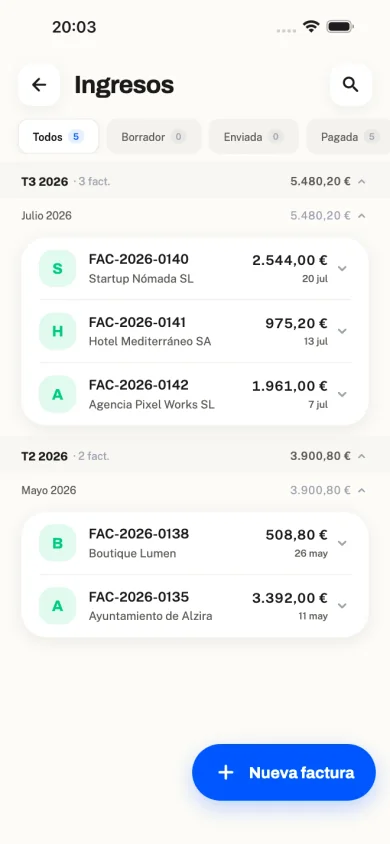
Your human advisor
Share access and stay independent
FacturaFácil is 100% independent of accounting firms. You can invite your usual advisor to the platform for free, and if you ever want to switch professional, you can do so without losing or migrating your data. If you do not have an advisor and need one, you can search for a firm that already partners with FacturaFácil.
- Share access with your current firm in one click
- Optional in-app chat with your assigned advisor
- The bridge feature is 100% free for both sides
- Change advisor without changing platform (your data stays yours)
- Fully independent, we never force you to use any particular firm
- Search firms that already partner with FacturaFácil
- Direct export to accounting software
100% offline mode
The app does not depend on the internet
Create invoices, add expenses and manage your data without signal. Everything is stored securely on your device and syncs automatically when you are back online.
- Create invoices offline
- Photograph and store receipts offline
- Your data always available to browse
- Automatic background sync
- Deferred AI processing when online
- Invoices and data saved securely on your device
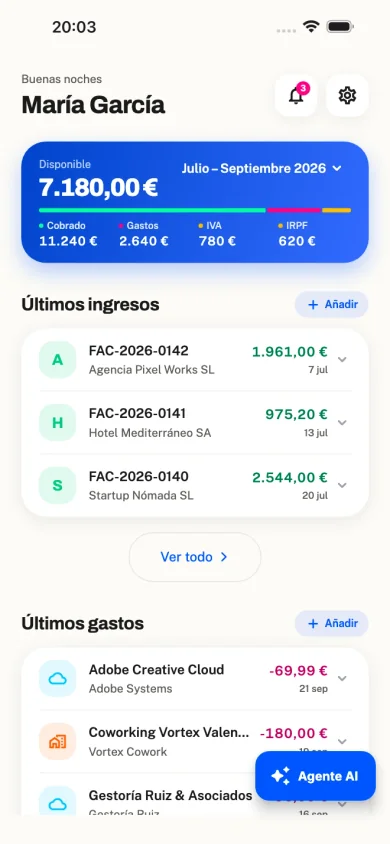
Expense control
Upload a receipt and AI does the rest
Photograph a receipt, upload a PDF or send it on WhatsApp. The app extracts supplier, dates, amounts, VAT, category, and so on, without you having to type everything.
- Automatic capture from a photo or PDF (supplier, dates, amounts, VAT…)
- Also via WhatsApp: AI reads it and saves it after you confirm
- Smart classification based on categories for your activity
- Receipts, purchase invoices and PDF documents
- Automatic deductibility selection by expense type
- Alerts if something looks like a duplicate, and review several expenses at once
- Turn on automatic logging or review before saving
- Import from email with supporting documents stored securely
- Link each expense to the supplier contact
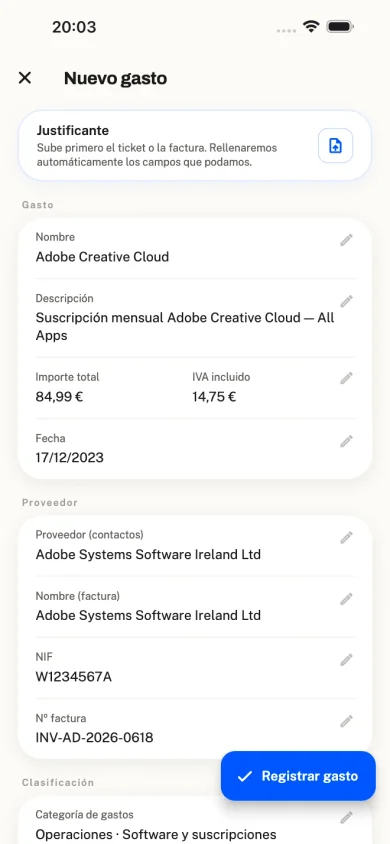
Automatic taxes
Your tax obligations, calculated instantly
The system works out VAT due (Form 303), IRPF instalments (Form 130) and what you need for Form 100, plus IGIC, IPSI and more, with a tax calendar and alerts.
- Form 303 (quarterly VAT) and Form 390 (annual VAT summary)
- Form 130 (IRPF instalments with withholdings)
- Form 131 and objective estimation (modules) when it applies
- Form 349 for intra-EU operations
- Forms 111 and 190 if you have employees on payroll
- IGIC, IPSI or regional VAT depending on your territory
- Tax calendar with due-date reminders
- AEAT-ready XLSX export (Pre303/Pre130)
- Full history by quarter and year, with totals ready to review

AI advisor
Ask, attach or speak: create invoices and more from chat
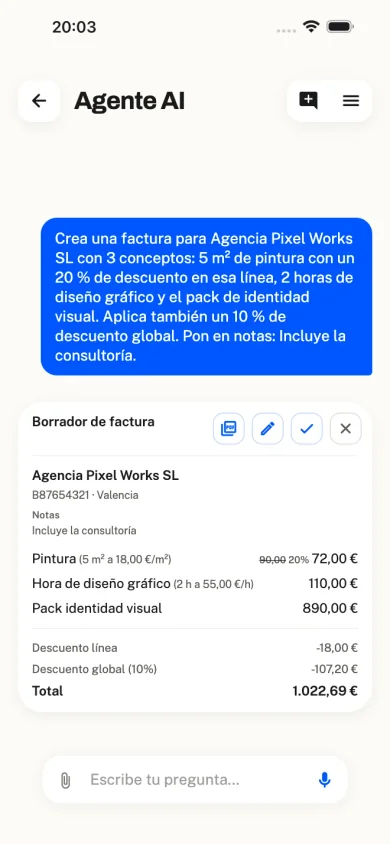
Besides answering tax and product questions, work straight from chat: attach photos or PDFs, send voice notes, and ask it to create invoices, commercial documents, contacts or expenses. You confirm every draft before it is saved.
- Create invoices, quotes, proformas, delivery notes, contacts and expenses from chat
- Attach photos or PDFs from outside the app: ask questions, extract data and act on them
- Voice notes with the mic: speak and the chat turns them into text
- Tax, filings and Spanish rules, grounded in official sources
- Answers that use your tax profile and data
- You confirm every draft before anything is saved
- Conversation history; in-app chat and web side panel
WhatsApp with AI
Send the receipt on WhatsApp and it gets logged
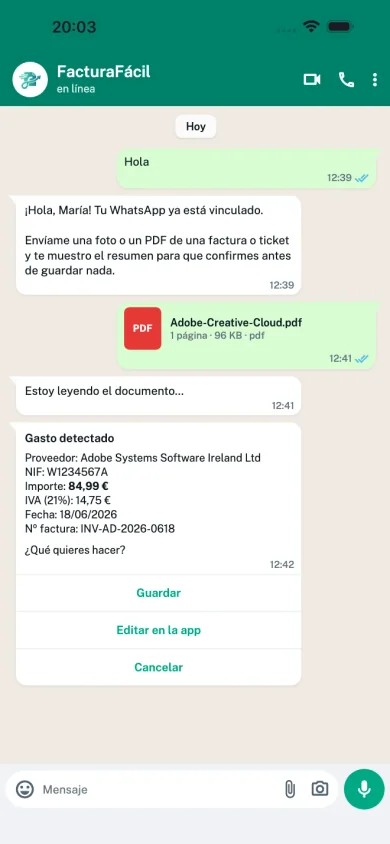
Link your number and send photos or PDFs of invoices, receipts or tax documents on WhatsApp. AI reads them, shows a summary, and you choose whether to save, edit in the app or discard.
- Connect your number in about a minute (QR or “Hi” message)
- Send invoices, receipts and tax documents from your phone
- AI classifies the document and proposes the extracted fields
- Confirm, edit in the app or discard in one tap
- Import history so you can review what you sent
Bank sync
Your bank movements, automatic
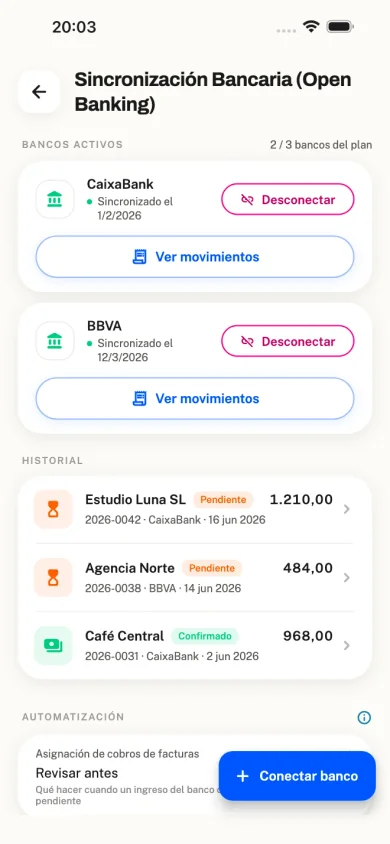
Connect your bank with Open Banking and invoice payments are detected automatically. Easy reconciliation, one tap.
- Secure Open Banking connection (Enable Banking)
- Automatic detection of invoice payments
- Support for major Spanish banks
- Easy bank reconciliation
- Multiple accounts by subscription plan
- Automatic movement ↔ invoice linking
Email sync
Google CASA AL1 security certification
Verified with Google CASA AL1 (App Defense Alliance). Connect Gmail, Outlook or IMAP and pick an email, or create rules so that when a supplier emails you, the expense is logged automatically. We only read the email you select — we cannot send email.
- Google CASA AL1 certification (App Defense Alliance)
- We only read the email you pick — we cannot send email
- Gmail, Outlook and IMAP
- Attached PDF → receipt and processed data
- Alerts to confirm or dismiss
- Supplier rules: when their email arrives, the expense is added automatically

Contacts and customers
Your customer and supplier directory
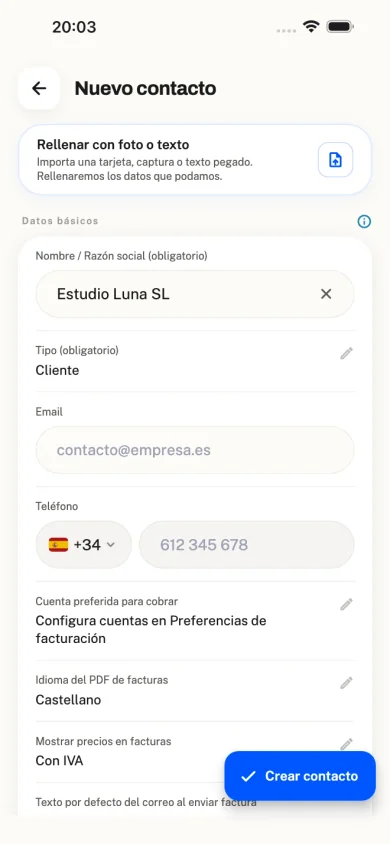
Manage customers and suppliers with full tax details. Automatic tax zones, address autocomplete and links to invoices and expenses.
- Customer, supplier or both as contact types
- Tax data covers tax ID, address and tax zone
- Tax zones for Spain, the Canary Islands, Ceuta/Melilla, the EU and non-EU countries
- Address autocomplete and map view
- Preferred bank account per customer
- DIR3 for e-invoicing (FACe)
- PDF language per customer (ES/CA/EN)
- Links to invoices and expenses, with matching when you import
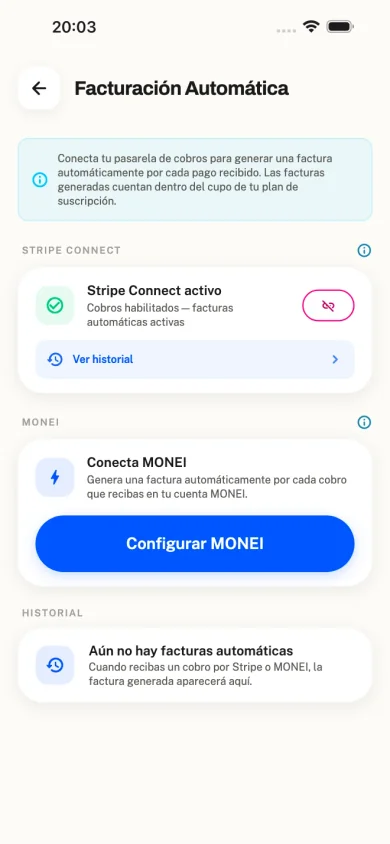
Automatic invoicing from payments
Connect Stripe or MONEI and invoices appear on their own
Link your MONEI or Stripe Connect account. Whenever a customer pays you via web, payment link or POS, the app automatically creates the invoice in FacturaFácil with customer details and amounts already filled in. No typing and no forgotten invoices.
- Connect MONEI or Stripe Connect in a few minutes
- Every payment received creates an automatic invoice inside the app
- Ideal for web payments, payment links or POS
- Customer and amount pre-filled; you only review if you want
- Forget about forgetting an invoice for each payment
Recurring invoicing
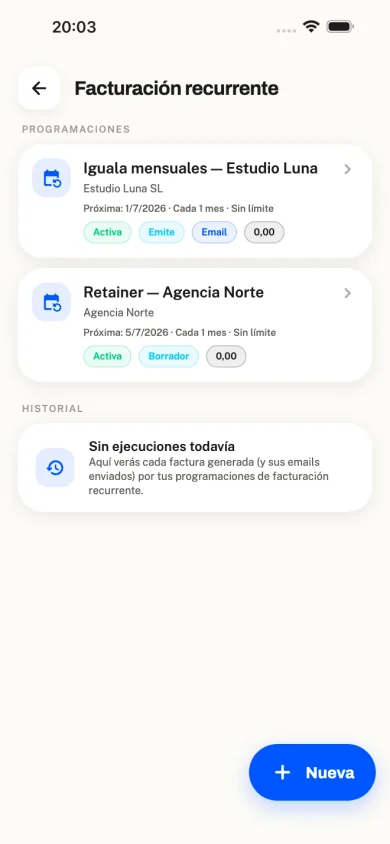
Recurring invoices and fixed fees on autopilot
Schedule monthly invoices or fixed fees for your clients. On the chosen date the app creates them for you: issue immediately, save as draft or email the client.
- Recurring invoices and fixed monthly fees for clients
- Active or paused schedules, with run history
- Automatic issue, draft or email delivery
- Ideal for monthly services without retyping every month
And much more
All the tools and automations you need in a single app.
Smart dashboard
Live financial snapshot with income, expenses, estimated tax, outstanding and available cash.
Automatic invoicing (Stripe / MONEI)
Connect Stripe or MONEI: every payment received creates the invoice automatically inside the app.
WhatsApp with AI
Send invoice and receipt photos or PDFs on WhatsApp: AI reads them and you confirm whether to save.
Quotes, proformas and delivery notes
Commercial documents with online approval, delivery-note signature and conversion to invoice.
Recurring invoicing
Recurring invoices and fixed fees: the app creates and can email the invoice on the scheduled date.
POS / TPV sales
Upload the day’s till Excel or CSV: amounts are grouped by VAT into a summary, not one invoice per ticket.
Employees and payroll
Staff and payroll management plus Forms 111/190 when you hire employees.
Advanced statistics
Charts for income and expenses, net pay, breakdown by category, customer and supplier.
15 invoice templates
Five PDF design families with layouts, logo, brand colours and live preview.
Custom categories
Organise expenses and income with your own taxonomy of groups, categories, icons and colours.
Notification centre
Overdue tax, late payments, pending imports, email suggestions and reminders.
Movement reminders
Set expectations for recurring invoices or expenses and get alerts if they are missing.
Guided onboarding
Six steps to set up your tax profile, activity, invoicing and deductions. Ready in about 5 minutes.
Export your data
Download invoices, expenses and contacts to Excel, PDF or JSON whenever you need.
Multilingual
Interface in Spanish, Catalan and English. Invoice PDFs in each customer’s language.
iOS, Android and web
Use any device. Desktop with sidebar, AI side panel and notifications.
CASA AL1 security (Google)
Google CASA AL1 security certification (App Defense Alliance), the standard required of partners to sync Gmail.
FAQ and built-in support
Frequently asked questions, contact form and support SLAs by plan.